TL;DR
Learn what a virtual assistant for coaches should own, what to keep in-house, and how to build role boundaries that protect client experience.
Use a practical cost and ROI framework based on reclaimed coaching hours, better lead follow-up, and cleaner program operations.
Follow a 30-60-90 onboarding and management model to scale delivery without operational drift.
Table of Contents
- Introduction
- What does a virtual assistant for coaches actually do?
- How much does a virtual assistant for coaches cost, and what ROI should you expect?
- Which tasks should coaches delegate first, and what should stay in-house?
- How do you hire, onboard, and manage a virtual assistant for coaches in the first 90 days?
- How can coaches protect client experience and data quality while scaling with remote support?
- Final Thoughts
Introduction
If you are evaluating support options, start with the core service context at /industries/business-coaches. Most coaching businesses do not fail because their method is weak. They stall because operations become inconsistent as client count grows.
A solo coach can run everything manually for a while: discovery calls, onboarding emails, invoicing, session reminders, CRM updates, content publishing, and community engagement. But once delivery demand increases, those admin tasks start competing directly with paid coaching hours. That tradeoff is expensive.
That is why interest in a virtual assistant for coaches keeps rising. The role gives coaches execution capacity across recurring admin and growth workflows without forcing a full local operations team too early.
This guide is built in a PAA-first format around five high-intent buyer questions. You will see what to delegate, what to keep in-house, how to model cost and ROI, how to onboard for consistency, and how to manage quality as your business scales.
For related implementation context, pair this guide with How to Hire a Virtual Assistant for Small Business in 2026, Virtual Assistant Onboarding Checklist for 2026, Virtual Assistant Cost Calculator Guide for SMB Teams, How to Hire Remote Talent Without Recruiting Fees, What Is an Onshore and Offshore Team?, and 5 Best Countries to Find Remote Talent in 2026.
External references in this article are anchored to reputable sources, including the U.S. Small Business Administration, Bureau of Labor Statistics, IRS recordkeeping guidance, FTC data security guidance for small business, and coaching profession context from the International Coaching Federation.
What does a virtual assistant for coaches actually do?
Snippet answer: A virtual assistant for coaches handles structured, repeatable client and business operations such as scheduling, onboarding, CRM hygiene, follow-up, content publishing support, and program administration under clear SOPs and escalation rules.
The biggest mistake in hiring is defining the role as "help with admin." That creates confusion, because every coaching business has different bottlenecks. High-performing setups define the role by workflow lane.
A practical lane model for coaching teams:
- Lead-to-call operations.
- New-client onboarding.
- Ongoing client communication and session logistics.
- Content and community operations.
- Back-office admin and reporting prep.
When each lane has clear boundaries, quality becomes measurable.
Typical responsibilities for a virtual assistant for coaches:
- Managing discovery call calendars and reminder sequences.
- Sending onboarding packets, agreements, and intake forms.
- Tracking onboarding completion and missing items.
- Maintaining CRM stage hygiene and tagging rules.
- Routing inbox messages and surfacing priority items.
- Publishing pre-approved content across key channels.
- Preparing webinar/workshop logistics and attendee communications.
- Tracking renewal dates, testimonial requests, and referral follow-up.
- Preparing basic weekly KPI snapshots for leadership review.
This role should be process-focused, not strategy-owned. Keep strategic decisions with the coach or operations lead:
- Offer positioning and pricing decisions.
- Sales messaging and objection handling framework.
- High-risk client issue resolution.
- Final brand voice sign-off for sensitive communication.
- Financial policy and contract exception decisions.
A useful test is this: if the task is high-frequency and rule-based, it is likely delegable. If the task requires nuanced business judgment or reputational risk decisions, it should stay with leadership.
The operational payoff is usually speed plus consistency. When a virtual assistant for coaches owns repetitive workflow reliably, coaching leaders spend more time on revenue work: paid sessions, offer refinement, partnerships, and strategic growth planning.
Role scorecard example for week-to-week visibility
A lot of coaching teams skip role scorecards and then manage by feeling. That makes quality drift hard to catch. Use a simple weekly scorecard tied to each workflow lane:
- Discovery call reminders sent on time.
- Intake forms completed before first session.
- CRM stage accuracy by active lead count.
- Session note or action-item follow-up completion.
- Community moderation response-time compliance.
When the scorecard is visible every week, coaching leaders can spot bottlenecks before they become client-facing problems.
How much does a virtual assistant for coaches cost, and what ROI should you expect?
Snippet answer: Cost varies by scope and experience, but ROI for a virtual assistant for coaches is usually driven by reclaimed coaching hours, faster lead response, stronger client retention workflow, and lower admin error rates rather than hourly price alone.
Many buyers compare options only on hourly rate. That misses the full economics. A lower fee with weak process discipline can cost more through missed follow-up, poor onboarding, and leadership rework.
Use an all-in cost model:
- Direct support fee or compensation.
- Software seats and communication tooling.
- Onboarding and SOP setup time.
- Weekly manager review and QA time.
- Rework cost from avoidable errors.
Then compare against value creation:
- Reclaimed billable or strategic hours.
- Faster response to inbound leads.
- Better onboarding completion rates.
- Reduced no-shows and admin delays.
- Better retention touchpoint consistency.
Simple ROI model:
(Recovered high-value hours x blended hourly value) + revenue-protection gains + rework avoided - all-in support cost = net monthly impact
Illustrative scenario:
- 24 leadership hours recovered monthly.
- Blended value per hour: $180.
- Revenue-protection gains from better lead and renewal follow-up: $1,400.
- Rework avoided: $450.
- All-in support cost: $3,200.
Net monthly impact:
(24 x 180) + 1,400 + 450 - 3,200 = $2,970
This example is directional, not universal. Your numbers depend on your pricing model, close rate, and client lifecycle.
For realistic assumptions:
- Check role wage context via BLS business operations occupations and BLS office support occupations.
- Benchmark finance discipline using SBA small-business finance management guidance.
- Use your own baseline data from calendar utilization, lead response time, and renewal cadence.
Where ROI usually underperforms:
- Scope is vague and keeps changing weekly.
- No KPI baseline exists before launch.
- Leadership bypasses SOPs and gives ad hoc instructions.
- The role owns too many lanes before first-lane stability.
Start with one or two high-impact lanes, track outcomes for 60 to 90 days, then scale scope.
Revenue-protection lens coaches often miss
Many owners model ROI only around "hours saved." That understates impact. In coaching businesses, revenue is often lost through preventable process gaps:
- Discovery calls that go cold due to slow follow-up.
- Clients who delay onboarding because documentation is fragmented.
- Existing clients who slip away because renewal touchpoints are inconsistent.
- Referral asks that never happen because nobody owns the process.
A mature virtual assistant for coaches setup protects revenue by making those operational moments consistent. Even a small improvement in conversion or renewal can outperform pure labor savings.
KPI baseline before launch
Before onboarding starts, capture 30 days of baseline data:
- Median lead response time.
- Discovery call no-show rate.
- Onboarding completion within 7 days.
- Active-client touchpoint completion.
- Number of leadership hours spent on admin each week.
Without baseline data, it is difficult to tell whether performance changes are caused by the new role or by unrelated demand shifts.
Which tasks should coaches delegate first, and what should stay in-house?
Snippet answer: Delegate repetitive operational tasks first, keep high-judgment decisions in-house, and expand scope only after KPI and quality metrics stabilize.
The order of delegation matters more than most buyers expect. Teams that delegate complex edge cases first often conclude the model does not work, when the real issue is sequencing.
Best first-wave delegation for coaching businesses:
- Calendar and reminder workflow management.
- Onboarding packet delivery and completion tracking.
- CRM updates and pipeline hygiene.
- Session logistics and follow-up message routing.
- Content publishing support from approved drafts.
- Basic client success check-in scheduling.
Why this first wave works:
- High frequency.
- Clear SOP potential.
- Easy quality checks.
- Immediate operational relief.
Second-wave delegation after baseline stability:
- Webinar/event operations and attendee flow.
- Community moderation under policy.
- Lead qualification prep and discovery call notes.
- Referral and testimonial process management.
- Simple KPI reporting packs.
Tasks to keep in-house:
- Sales narrative strategy and high-stakes sales calls.
- Conflict-heavy client communication.
- Contract terms and exception approval.
- Offer design and delivery framework changes.
- High-risk reputation decisions and public statements.
A three-column delegation matrix prevents confusion:
Delegate by defaultDelegate with reviewDo not delegate
Example:
- Discovery call confirmation: delegate by default.
- Refund request triage: delegate with review.
- Contract exception approval: do not delegate.
This model protects client experience while still freeing meaningful leadership capacity.
Delegation by business stage
Different coaching models need different delegation priorities:
Stage 1: Solo coach with limited offer complexity
- Prioritize scheduling, onboarding, and inbox triage.
- Keep sales and content strategy fully in-house.
Stage 2: Coach with one group program and steady lead flow
- Add CRM lane ownership and client success check-in workflow.
- Delegate webinar operations and recurring content publishing support.
Stage 3: Multi-offer coaching business with team members
- Add process documentation governance and recurring KPI reporting.
- Add cross-functional coordination between sales, delivery, and community workflows.
This staged model reduces overload during rollout and keeps delegation aligned with growth maturity.
If you are designing full operating systems, adjacent playbooks can help standardize decisions across functions: Law Firm Intake Process Playbook, Outsourced Bookkeeping Services Guide for US Businesses, and Bookkeeping Virtual Assistant Guide for US Businesses.
How do you hire, onboard, and manage a virtual assistant for coaches in the first 90 days?
Snippet answer: Hire for process reliability and communication clarity, onboard with lane-based SOP certification, then manage with weekly KPI and QA cadence through a structured 30-60-90 rollout.
Hiring is only the starting point. Results depend on whether your operating model is explicit.
Hiring profile that usually performs well
- Strong written communication and documentation discipline.
- Experience in queue-based workflow execution.
- Comfort with CRM, scheduling, and content tools.
- Good escalation judgment under uncertainty.
- Consistency under repeatable process expectations.
Interview for behavior, not only resume terms:
- Ask for a concrete example of fixing a broken workflow.
- Give a mock inbox triage scenario.
- Test written response tone for client-facing messages.
- Ask how they track exceptions and follow SOP updates.
30-60-90 onboarding framework
Days 1-30:
- Confirm role charter and lane boundaries.
- Set up secure access with least privilege.
- Train on SOPs, scripts, templates, and escalation rules.
- Run shadow tasks with QA feedback.
- Start KPI baseline tracking.
Days 31-60:
- Move selected lanes to controlled ownership.
- Introduce weekly QA scoring.
- Track error categories and recurrence trends.
- Tighten SLAs for response and completion.
Days 61-90:
- Expand scope only where quality is stable.
- Shift mature tasks to exception-based supervision.
- Add backup coverage documentation.
- Finalize recurring management dashboard.
Management cadence that keeps quality stable
- Daily: short blocker review during ramp.
- Weekly: KPI + QA calibration meeting.
- Monthly: strategy and scope review tied to growth goals.
KPI starter set for a virtual assistant for coaches:
- Lead response time.
- Discovery call show-up rate.
- Onboarding completion cycle time.
- CRM hygiene score by required fields.
- Content publishing on-time rate.
- Renewal or re-engagement touchpoint completion.
- Leadership hours recovered from admin.
A common failure pattern is "random instruction drift." One stakeholder sends messages by email, another by Slack, another by voice note, and none of it updates the SOP. Use one source of truth for process changes, and update templates before changing execution rules.
For broader onboarding architecture, use Virtual Assistant Onboarding Checklist for 2026 and align it with your coaching-specific lanes.
Tooling stack expectations for coaching operations
A virtual assistant for coaches does not need every platform under the sun. They need clean access to the right systems:
- Calendar and scheduling tools.
- CRM or pipeline management system.
- Email and communication workspace.
- Course, portal, or community platform.
- Documentation and SOP repository.
The key is integration and clarity, not tool count. Too many disconnected systems create context switching and quality errors. Keep workflows centralized where possible and map every recurring task to one system owner.
Weekly review agenda template
Use a fixed 30-minute weekly review:
- KPI trend review vs prior week.
- Top 3 recurring blockers.
- Client feedback and tone-quality notes.
- SOP updates needed this week.
- Scope decision: keep, adjust, or expand.
This agenda keeps operations structured and reduces emotional decision-making after one difficult week.
How can coaches protect client experience and data quality while scaling with remote support?
Snippet answer: Protect quality with explicit communication standards, role-based access controls, documented SOP governance, and recurring audits of both service quality and data handling.
Remote support does not create risk by itself. Uncontrolled process creates risk. A local team with weak controls can fail in the same way a remote team can.
Use a practical control stack:
- Role-based system access by workflow lane.
- Approved channels only for client communication.
- SOP and template version control.
- QA sampling across client-facing outputs.
- Incident escalation process with owners and timelines.
- Routine access reviews and offboarding checklists.
For data stewardship, small businesses can use clear baseline controls from FTC cybersecurity guidance for small business and broader framework thinking from the NIST Cybersecurity Framework.
For business record discipline, use IRS recordkeeping guidance as an anchor. Even coaching businesses with light operational complexity benefit from clean documentation standards.
Client experience quality controls:
- Response-time standards by message type.
- Tone and empathy guidelines for all client communication.
- Escalation rules for high-friction situations.
- QA rubric for clarity, completeness, and timeliness.
- Weekly root-cause review for repeated failures.
Data quality controls:
- Required-field enforcement in CRM.
- Naming and tagging standards for content and client records.
- Change logs for critical workflow artifacts.
- Monthly audit sample to detect drift early.
As your business scales from 1:1 to group or cohort models, the risk is fragmentation: more clients, more channels, more moving parts. A strong virtual assistant for coaches model prevents fragmentation by keeping execution standardized while leadership keeps strategic control.
Coaches who win long-term treat this role as an operating function, not overflow labor. They define lanes, measure performance, and update systems on cadence.
Minimum documentation pack for scale
When client count increases, memory-based operations break down. Keep a minimum documentation pack from day one:
- Lane-level SOPs with owners.
- Script and template library.
- Escalation matrix with decision authority.
- Weekly KPI tracker.
- QA rubric for client-facing communication.
- Offboarding and access-revocation checklist.
This pack protects continuity during absences, role transitions, and growth spikes.
Quality drift warning signs
Watch for early indicators that standards are slipping:
- CRM fields start going blank.
- Client replies mention confusion or delays.
- Same exception appears in multiple weeks.
- Leadership starts doing "quick fixes" outside the defined process.
- SLA misses increase but root-cause analysis is absent.
If two or more signs appear, pause scope expansion and stabilize fundamentals before adding new responsibilities.
Final Thoughts
A virtual assistant for coaches is most valuable when you design the role as a system: clear lane ownership, documented standards, and measurable outcomes tied to business goals.
Start narrow, prove reliability, then scale scope in phases. That sequence protects client experience, restores leadership focus, and builds operational capacity that compounds over time.
Keep your strategy anchored to the broader coaching context at /industries/business-coaches, then use this guide as your implementation playbook for hiring, onboarding, and management.
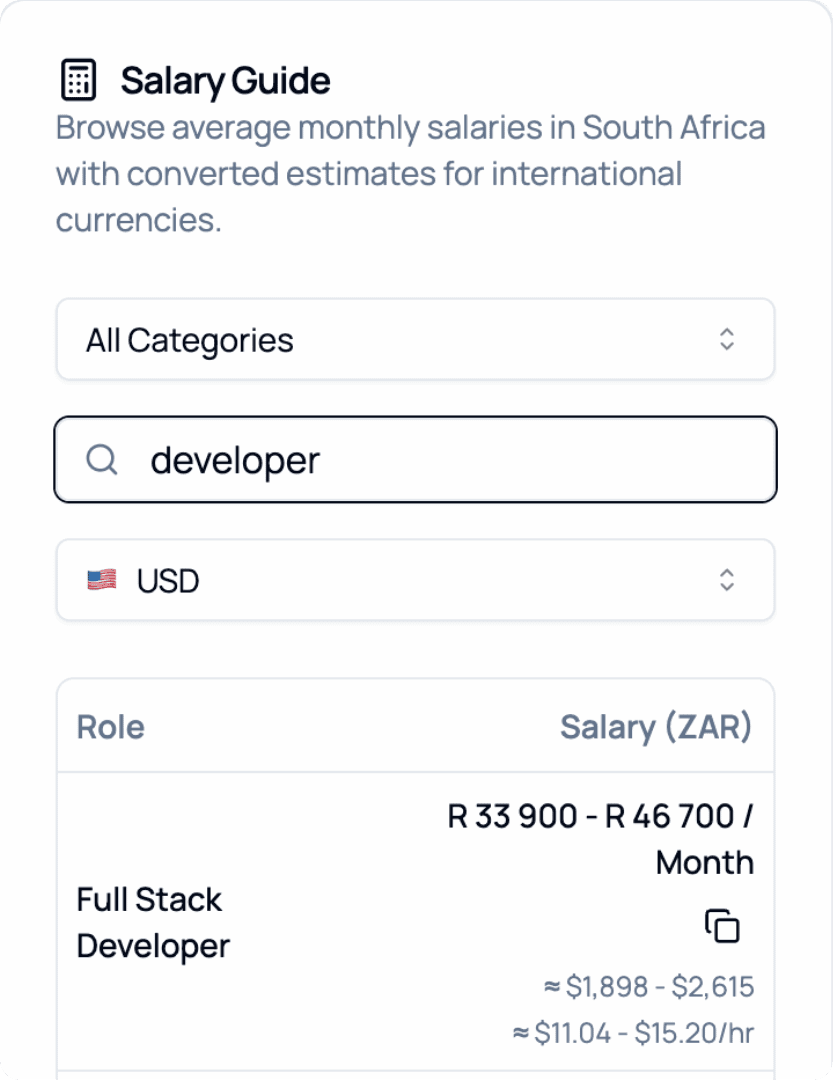
2026 Salary Guide: South Africa
Discover South African Salaries by Role. Compare costs and see how much you can save.