TL;DR
Learn how a dental virtual receptionist supports scheduling, patient communication, and insurance-related front-office workflows for US practices.
Use a practical framework to decide what to delegate, what to keep in-office, and how to manage HIPAA-sensitive workflows with confidence.
Follow a 90-day rollout with clear SOPs, QA cadence, and KPI tracking so your team improves access, experience, and throughput.
Table of Contents
- Introduction
- What does a dental virtual receptionist actually do for a US practice?
- Is a dental virtual receptionist HIPAA-compliant and legal for US dental offices?
- How much does a dental virtual receptionist cost, and what ROI should owners expect?
- Which tasks should you delegate first, and which should stay in-office?
- How do you implement and manage a dental virtual receptionist in the first 90 days?
- Final Thoughts
Introduction
A dental virtual receptionist can help US practices reduce front-desk overload, improve patient response times, and recover production lost to preventable administrative gaps. If you are evaluating support options, start with your broader dental staffing context at /industries/dental, then use this guide to build a role that is specific, measurable, and operationally safe.
Most dental teams do not struggle because they lack clinical skill. They struggle because communication volume outpaces front-office capacity. Calls go unanswered during peak chair hours. Confirmation workflows are inconsistent. Recall lists age. Insurance verification happens late. Treatment-plan follow-up is fragmented. These are execution issues, not strategy issues.
This article is written in a PAA-first format so owners and office managers can move from idea to implementation without guessing. You will get direct answers to the five questions high-intent buyers ask before hiring a dental virtual receptionist: role scope, compliance and legal boundaries, cost and ROI, delegation order, and first-90-day execution.
For related operating context, pair this guide with Dental Virtual Assistant Guide for US Practices, Dental Virtual Assistant Playbook for US Practices, Healthcare Virtual Assistant Playbook for US Practices, HIPAA Virtual Assistant Compliance Guide for US Clinics, and Virtual Assistant Onboarding Checklist for 2026.
Throughout this guide, recommendations are anchored to reputable sources such as the U.S. Department of Health and Human Services HIPAA resources, HHS Business Associate guidance, CDC Oral Health resources, CMS Oral Health initiatives, and BLS occupational data.
What does a dental virtual receptionist actually do for a US practice?
Snippet answer: A dental virtual receptionist handles repeatable, non-clinical front-office workflows such as call routing, scheduling, confirmations, recall outreach, intake coordination, and insurance-related pre-visit communication while licensed in-office staff retain clinical and high-discretion responsibilities.
The most common mistake in dental hiring is treating receptionist support as a vague “extra set of hands.” A high-performing dental virtual receptionist role is not generic. It is lane-based, SOP-driven, and outcome-tracked.
In practical terms, your virtual receptionist should own defined workflow lanes such as:
- New patient inquiry intake and scheduling.
- Appointment confirmations and rescheduling.
- Waitlist and same-day fill workflows.
- Recall and reactivation outreach.
- Insurance pre-visit information collection.
- Post-visit admin follow-up and next-step reminders.
- Front-office inbox triage and callback queue management.
The key is boundaries. The role should support operational speed and consistency, not clinical judgment. That means your assistant should not diagnose, recommend clinical treatment, or handle provider-only escalation decisions.
Daily output model that works
A strong model for a dental virtual receptionist is a daily queue with clear targets:
- Morning queue prep: unanswered calls, web leads, voicemail, and recall list.
- Next-day schedule checks: confirmation status, potential cancellations, waitlist candidates.
- Insurance-intake prep: identify missing policy details before appointment day.
- Midday callback sweep: prioritize unreturned calls and urgent admin issues.
- End-of-day handoff: unresolved issues, patient escalations, and next-day priorities.
This structure turns front-desk administration into a controlled system. It also reduces dependence on heroics from a single in-office coordinator.
Where practices get immediate gains
Most offices see the fastest improvement in three places:
- Call responsiveness: fewer missed opportunities from delayed callbacks.
- Schedule stability: fewer empty chairs due to weak confirmation workflows.
- Recall activation: more overdue patients booked back into hygiene.
These are not cosmetic gains. Better response discipline directly influences production, patient experience, and team burnout.
If your office is still defining remote staffing fundamentals, use How to Hire a Virtual Assistant for Small Business in 2026 and How to Hire Remote Talent Without Recruiting Fees as baseline process references.
Why this role is different from generic answering services
A generic service can answer phones. A dental virtual receptionist can run office-specific workflows. That difference matters because dentistry has specific cadence, terminology, and scheduling logic:
- Procedure-dependent time blocks.
- Insurance-sensitive visit prep.
- Recall windows based on hygiene and periodontal cadence.
- Multi-step treatment follow-up after consultations.
When someone understands those flows, your front office operates with less friction and fewer handoff failures.
Is a dental virtual receptionist HIPAA-compliant and legal for US dental offices?
Snippet answer: A dental virtual receptionist model can be HIPAA-aligned and legally workable in US practices when governance controls are explicit: role-based access, approved communication tools, formal agreements, documented training, and routine audit oversight.
“Is it compliant?” is the wrong first question. The better question is: “Can we design a defensible compliance system?” HIPAA obligations apply to workflows and controls, not to whether a person is remote.
Foundational references include:
- HHS HIPAA for Professionals
- HHS Business Associates Guidance
- HHS Security Rule Guidance
- OCR HIPAA Enforcement Overview
A remote model is not safer by default and not riskier by default. It becomes safe when controls are clear and enforced.
Minimum control stack before go-live
Before a dental virtual receptionist handles PHI-adjacent workflow:
- Define allowed and prohibited tasks in writing.
- Set role-based system permissions and enforce least privilege.
- Use unique credentials and MFA; never share logins.
- Restrict communication to approved business channels.
- Complete onboarding training and retain records.
- Set audit cadence and escalation pathways.
- Confirm offboarding steps for immediate access revocation.
This is basic operating hygiene. It prevents common avoidable failures.
Common compliance mistakes to avoid
Most issues come from shortcuts during onboarding:
- Granting broad access “for convenience.”
- Allowing personal messaging apps for patient communication.
- Skipping training documentation because “they have experience.”
- Failing to review activity logs after launch.
Each shortcut increases exposure and weakens accountability.
Task boundary examples
Appropriate tasks for a dental virtual receptionist with controls:
- Appointment reminders and rescheduling.
- Insurance detail collection for pre-visit preparation.
- Recall messages using approved templates.
- Status updates and escalation routing.
Tasks to keep in-office and under clinical authority:
- Clinical guidance and treatment interpretation.
- Financial exception handling with legal risk.
- Complex patient conflict resolution tied to clinical outcomes.
External standards context for dental teams
Even though the role is administrative, dental operations should align with broader quality and safety frameworks. Useful context includes CDC dental infection prevention guidance, OSHA dentistry resources, and ADA practice resources.
These are not about expanding a receptionist into clinical duties. They are about aligning admin execution with the environment where care is delivered.
For deeper healthcare-specific compliance operations, HIPAA Virtual Assistant Compliance Guide for US Clinics provides a useful implementation companion.
How much does a dental virtual receptionist cost, and what ROI should owners expect?
Snippet answer: The right ROI model for a dental virtual receptionist goes beyond hourly rate and measures operational and financial outcomes such as schedule utilization, recall conversion, faster new-patient response, and reduced front-office bottlenecks over 30-60-90 days.
Cost questions are important, but cost-only analysis usually leads to bad staffing choices. A lower hourly rate with no operating system can be expensive. A structured role with measurable outcomes often produces better economics.
What to include in total-cost evaluation
A realistic model should include:
- Base service rate or compensation.
- Onboarding and training time.
- Manager oversight time during first 30 days.
- Tooling and communication stack costs.
- QA and reporting cadence.
Then compare those inputs to expected gains, not just payroll alternatives.
Value drivers that matter most in dentistry
In most practices, dental virtual receptionist ROI comes from:
- More completed appointments through stronger confirmation discipline.
- Faster new-patient response time and reduced lead leakage.
- Better recall reactivation for overdue hygiene patients.
- Improved schedule fill from cancellation backfill.
- Smoother insurance intake reducing same-day friction.
If one recovered chair slot per day is realistic in your office, that alone can materially change financial outcomes. Add better recall conversion and faster response speed, and the impact compounds.
KPI framework for 90-day ROI tracking
Track trend lines, not anecdotes:
- Inbound call response time.
- New-patient inquiry to scheduled appointment rate.
- Confirmation completion rate for next-day schedule.
- No-show rate by provider/day.
- Recall reactivation conversion.
- Unscheduled treatment follow-up contact rate.
- Front-desk overtime hours.
Assess baseline, day 30, day 60, and day 90. This avoids decision-making based on one unusually good or bad week.
Typical timeline of results
Most offices observe:
- Days 1-14: setup and training heavy; metrics may fluctuate.
- Days 15-30: early improvements in responsiveness and confirmations.
- Days 31-60: stronger recall and schedule stability gains.
- Days 61-90: clearer revenue-cycle and conversion improvements once SOP adherence is consistent.
The faster you standardize scripts and escalation rules, the faster results stabilize.
Cost mistakes to avoid
Common buying errors:
- Hiring without a defined lane model.
- Judging performance without baseline metrics.
- Expanding scope before QA passes are stable.
- Evaluating only labor cost and ignoring throughput recovery.
This same cost-discipline logic shows up in adjacent operations content like Outsourced Bookkeeping Services Guide for US Businesses and Small Business Bookkeeping Guide for US Companies: process control determines true ROI.
For labor-market benchmarking context, compare role expectations with BLS receptionist occupation data and BLS dental assistant data to avoid mis-scoping responsibilities.
Which tasks should you delegate first, and which should stay in-office?
Snippet answer: Delegate high-volume, low-ambiguity front-office workflows first, then expand only after SOP and QA stability; keep diagnosis, treatment planning, and high-risk exceptions with licensed in-office teams.
A phased rollout is the safest and fastest way to implement a dental virtual receptionist model.
Phase 1: Fast operational wins (Days 1-30)
Delegate first:
- Appointment confirmations and rescheduling.
- New-patient call and form intake follow-up.
- Waitlist outreach for cancellation backfill.
- Recall outreach for overdue hygiene appointments.
- Voicemail triage and callback queue preparation.
Goal: stabilize communication and schedule flow quickly.
Phase 2: Revenue protection workflows (Days 31-60)
Add:
- Insurance pre-visit data collection support.
- Treatment-plan follow-up reminders.
- Post-visit admin follow-up and unresolved task routing.
- Structured call scripts for estimate reminder sequences.
Goal: reduce preventable leakage between consultation and booked treatment.
Phase 3: Optimization and reporting (Days 61-90)
Add:
- Segment-based no-show prevention campaigns.
- Recall campaign performance reporting.
- Root-cause analysis for missed bookings and response delays.
- Weekly scorecard packaging for owner or office manager review.
Goal: move from execution to continuous improvement.
Keep in-office from day one
Even with a strong remote setup, these should remain with local leadership or clinical staff:
- Clinical judgment and treatment advice.
- Complex patient escalations with legal or care-risk exposure.
- Final decisions on discounts, financial disputes, or exceptions.
- Any work requiring provider-level discretion.
Practical delegation filter
Use this five-question filter before assigning a task to a dental virtual receptionist:
- Is the task repeatable and process-driven?
- Can it be completed with a written SOP and script?
- Is the success criteria measurable?
- Does it avoid clinical judgment?
- Can we audit quality objectively?
If the answer is yes to all five, delegation is usually a strong candidate.
Internal consistency across your content cluster
If your team is building a full dental/healthcare operations cluster, keep delegation logic consistent across related content so teams are not receiving conflicting guidance. Practical references include Dental Virtual Assistant Playbook for US Practices, Medical Virtual Assistant Guide for US Clinics, and Virtual Medical Assistant Services for US Clinics.
How do you implement and manage a dental virtual receptionist in the first 90 days?
Snippet answer: Implementing a dental virtual receptionist successfully requires role-specific hiring, lane-based SOP onboarding, weekly QA reviews, and KPI-led management across a 30-60-90 operating plan.
The first 90 days determine whether the role becomes leverage or noise. Strong outcomes come from structure, not improvisation.
Days 0-15: Role design and onboarding
Set up the foundation:
- Finalize role charter with explicit scope.
- Build lane-level SOPs and communication scripts.
- Configure access permissions and security controls.
- Define escalation matrix for exceptions.
- Train on tools, tone, scripts, and handoff standards.
Do not skip script rehearsal. In patient-facing work, wording consistency is part of quality.
Days 16-30: Controlled launch
Start with limited lane ownership:
- New-patient intake callbacks.
- Confirmations and reschedules.
- Recall outreach for one patient segment.
Run daily closeouts and weekly review. This period is about fixing workflow friction quickly.
Days 31-60: Expand with guardrails
Increase scope only if quality benchmarks are stable:
- Add insurance-intake support lane.
- Add treatment follow-up reminders.
- Add queue-based inbox triage.
At this stage, manager coaching should focus on exception handling and escalation speed.
Days 61-90: Optimize and systematize
By now, the role should produce reliable outputs. Shift management focus to trend improvement:
- Weekly KPI dashboard review.
- Script iteration based on call outcomes.
- No-show root-cause categorization.
- Recall campaign refinement by patient segment.
- Monthly retro with action items and owners.
The goal is durable performance, not short-term heroics.
QA cadence that prevents drift
A practical QA rhythm for a dental virtual receptionist:
- Daily: quick huddle on blockers and handoffs.
- Weekly: sample calls/messages against SOP checklist.
- Biweekly: update scripts based on recurring exceptions.
- Monthly: review KPI trend and adjust lane targets.
Without QA, quality decays quietly. With QA, the role compounds value.
Reporting format for owners and office managers
Use one-page weekly reporting with:
- Topline KPI trend (vs prior week and baseline).
- Missed targets with root causes.
- Escalation volume by category.
- Script and SOP updates completed.
- Next-week priorities and risks.
This creates accountability and keeps leadership aligned.
Staffing and hiring profile guidance
When hiring, prioritize:
- Structured communication and documentation discipline.
- Comfort with repeated process execution.
- Ability to escalate clearly without overstepping.
- Attention to detail in high-volume admin workflows.
A strong dental virtual receptionist is usually process-reliable, not “charismatic improviser.” Reliability wins in front-office systems.
If your broader remote staffing maturity is still developing, Virtual Assistant Onboarding Checklist for 2026 and How to Hire a Virtual Assistant for Small Business in 2026 can help standardize execution.
Final Thoughts
A dental virtual receptionist is most effective when treated as a designed operating function, not an informal support add-on. Practices that define scope, build lane-level SOPs, enforce compliance controls, and manage by KPI trend usually see better schedule stability, stronger patient responsiveness, and reduced front-office stress within one quarter.
For implementation context and role alignment, keep your dental operating strategy anchored to /industries/dental. Then execute in phases: start narrow, validate quality, expand responsibly, and review performance every week.
If you want to continue building this cluster with consistent frameworks, next reads are Dental Virtual Assistant Guide for US Practices, Healthcare Virtual Assistant Playbook for US Practices, and HIPAA Virtual Assistant Compliance Guide for US Clinics.
Frequently Asked Questions
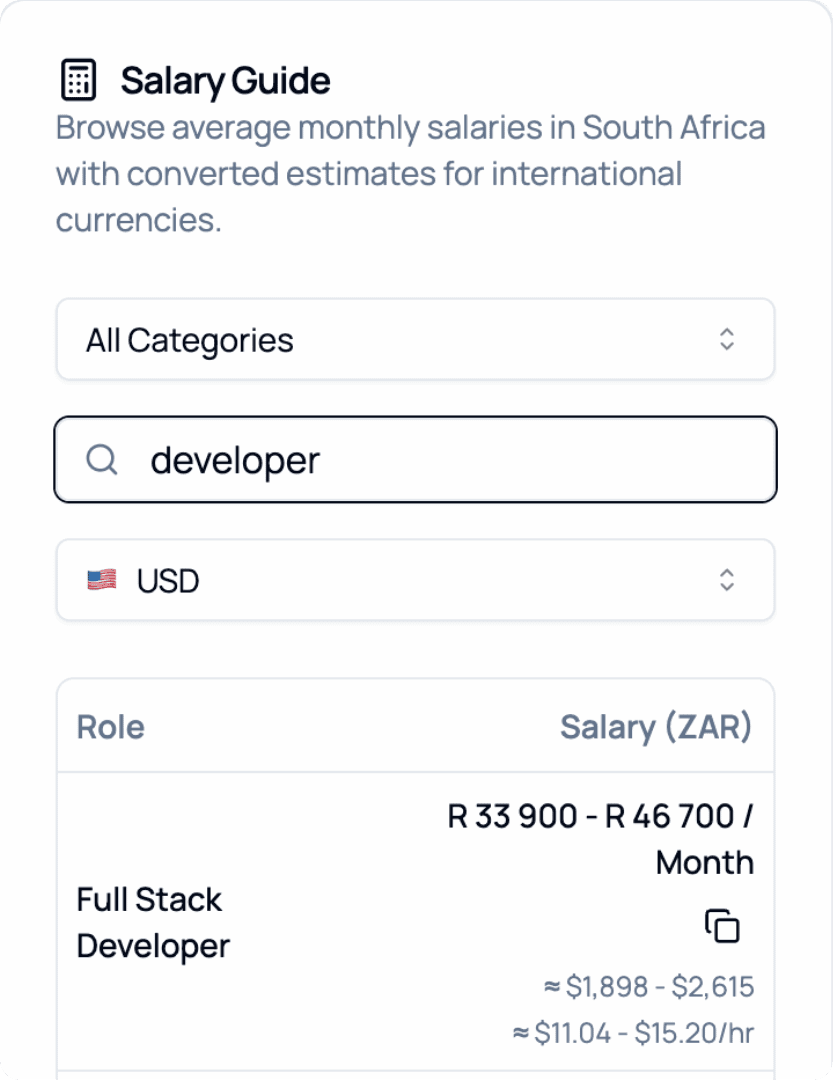
2026 Salary Guide: South Africa
Discover South African Salaries by Role. Compare costs and see how much you can save.