TL;DR
Use this practical playbook to deploy a dental virtual assistant in US practices without creating compliance or patient-experience risk.
Learn what to delegate first across scheduling, insurance verification, treatment-plan follow-up, and collections support.
Implement a 30-60-90 rollout framework with KPIs that prove ROI in production, case acceptance, and front-desk throughput.
Table of Contents
- Introduction
- What is a dental virtual assistant and what should they actually do?
- Why dental practices are uniquely suited for virtual operations support
- Compliance first: HIPAA, privacy, and risk controls for dental teams
- What to delegate first: a practical priority matrix
- The dental VA operating system: SOPs, scripts, and QA that actually work
- Tools and tech stack: keep it simple and auditable
- Staffing model options for US dental practices
- 30-60-90 day implementation plan
- KPI framework: how to prove ROI in dental operations
- Common mistakes and how to avoid them
- Financial lens: what practice leaders should expect
- Change management for dentists, office managers, and teams
- FAQ-style operational answers for dental practices
- Conclusion
Introduction
Dental practices in the US are being asked to do more with less: tighter staffing, heavier insurance friction, more patient messaging channels, and higher service expectations. The typical failure point is not dentistry itself. It is the administrative load around dentistry. If your team is buried in phones, eligibility checks, recall lists, and treatment-plan follow-up, production and patient experience both suffer.
That is where a dental virtual assistant model can create leverage. The right remote support structure helps your front office execute faster and more consistently while licensed staff stay focused on care delivery. If you are planning hiring priorities across specialties, start with your broader healthcare operations roadmap, then use this guide to build a dental-specific workflow that is practical for US practices.
This playbook is written for private practices, DSO-supported offices, and multi-location groups that want execution detail, not generic outsourcing advice. You will learn what to delegate, how to protect HIPAA-sensitive workflows, how to build a 30-60-90 rollout, what tools and SOPs matter most, and which KPIs prove business value.
For operators who want additional context, pair this with the Healthcare Virtual Assistant Playbook for US Practices, the HIPAA Virtual Assistant Compliance Guide for US Clinics, and the Virtual Medical Assistant Services for US Clinics guide.
Along the way, this article references policy and labor sources including HHS HIPAA resources, CMS oral-health pages, CDC infection-prevention guidance, OSHA dentistry safety materials, and BLS occupation data.
What is a dental virtual assistant and what should they actually do?
A dental virtual assistant is a trained remote operations professional who handles repeatable, non-clinical tasks inside documented SOPs, role boundaries, and compliance controls.
The important phrase is non-clinical. In successful deployments, your assistant does not diagnose, does not discuss clinical judgment as if they are a provider, and does not alter treatment plans. They execute the operational work that keeps the chair full, claims moving, and patient communication consistent.
High-impact responsibilities commonly include:
- Scheduling, rescheduling, and appointment confirmations
- Insurance eligibility checks and benefits summaries before visits
- Recall and reactivation outreach by scripted protocols
- Unscheduled treatment-plan follow-up
- Claims status follow-up and denial reason logging
- Inbox triage, voicemail routing, and callback queue prep
- Patient financing reminder sequences and estimate follow-ups
- Referral and specialist coordination support
Think about these tasks as production enablement. Every hour your in-office coordinator spends on repetitive call loops and portal lookups is an hour not spent on complex patient interactions at the desk.
If you are still building your remote staffing baseline, the frameworks in How to Hire a Virtual Assistant for Small Business in 2026, Virtual Assistant Onboarding Checklist for 2026, and How to Hire Remote Talent Without Recruiting Fees map cleanly to dental operations.
Why dental practices are uniquely suited for virtual operations support
Dental offices are unusually strong candidates for virtual support because many front-office workflows are predictable, high volume, and measurable.
You typically have:
- Time-bound appointment structures
- Repeat insurance verification patterns
- Recurring recall windows (prophy, perio maintenance, hygiene)
- Standard treatment-plan follow-up paths
- Clear handoffs between clinical and admin teams
That makes delegation easier than many leaders expect.
1. Recall leakage is preventable revenue loss
Most offices do not struggle to identify overdue patients. They struggle to re-engage them consistently. Recall lists sit in the PMS while local staff handle live desk pressure. A remote assistant can run daily recall cadence with defined contact windows and escalation paths.
2. Insurance work consumes predictable blocks of time
Verification and claim status tasks are repetitive but critical. When delayed, they create same-day front desk stress, billing lag, and patient frustration. Assigning these tasks to a dedicated remote lane improves completion before appointments.
3. Unscheduled treatment follow-up often lacks ownership
Case presentations are expensive moments. When follow-up is inconsistent, accepted value drops. A virtual assistant can maintain a disciplined sequence: 24-hour callback, 7-day check-in, financing reminder, and time-limited reactivation.
4. Phone and inbox overflow damages patient trust
Patients judge your office quickly by response quality. A remote support lane for callback prep, routing, and communication templates can reduce dropped calls and long response times.
Compliance first: HIPAA, privacy, and risk controls for dental teams
A remote setup is not automatically compliant or non-compliant. Compliance depends on governance. HHS makes this clear through the HIPAA Privacy, Security, and Breach Notification framework: controls and accountability matter more than geography.
Key references:
Build your minimum safe operating stack
Before any assistant touches patient data, have these controls in place:
- Role description with explicit allowed and prohibited tasks.
- BAA and confidentiality agreements reviewed by your counsel.
- Unique user credentials, MFA, and no shared logins.
- Minimum-necessary access mapped to workflow lanes.
- Approved communication channels only.
- Training logs for HIPAA, scripts, and escalation rules.
- Audit review cadence (weekly early phase, then monthly).
- Immediate offboarding checklist for access revocation.
A practical principle: if a task requires PHI access, prove in writing why that specific access is required. Avoid broad permissions granted "for convenience."
Lane-based permissions reduce unnecessary exposure
Most dental offices get in trouble by giving front-office-equivalent access to everyone. Lane design is safer:
- Scheduling lane: appointment book, contact details, communication notes.
- Insurance lane: payer portals plus relevant non-clinical account fields.
- Treatment follow-up lane: estimate status, contact history, financing notes.
- Billing support lane: claim status tools, denial categories, callback logs.
This structure also makes QA easier because each lane has clear output metrics.
Infection control and workplace safety context still matters
Even though your assistant is remote, your operating decisions should align with recognized clinical environment standards so handoffs stay safe and consistent. Use references such as:
These are not to turn a VA into a clinical role. They help admin workflows align with the safety obligations that your on-site team already follows.
What to delegate first: a practical priority matrix
Do not start with everything. Start with workflows that are high volume, rules-based, and immediately measurable.
Wave 1 (first 30 days)
- Appointment confirmations and short-notice fill-ins
- Insurance eligibility verification before scheduled visits
- Recall outreach for overdue hygiene/perio maintenance
- Voicemail triage and callback queue preparation
Wave 2 (days 31-60)
- Unscheduled treatment follow-up protocol
- Claims status follow-up for aging buckets
- Coordination for pending referrals and specialist records
- Patient financing reminder workflow
Wave 3 (days 61-90)
- No-show prevention sequence refinement by patient segment
- Denial trend tagging and payer-specific escalation routing
- Reputation and feedback request sequencing post-visit
- Monthly KPI reporting package for leadership review
Why this order works: you secure quick wins first, then expand into revenue-cycle and case-conversion optimization once SOP discipline is stable.
The dental VA operating system: SOPs, scripts, and QA that actually work
Most failures come from one assumption: "a great person will figure it out." Strong people matter, but outcomes depend on system design.
SOP design principles
Each SOP should fit on one to two pages and include:
- Trigger condition (when task starts)
- Required tools and data fields
- Step-by-step workflow with expected timing
- Approved script snippets for communication
- Escalation conditions and owner
- Definition of done
- QA checklist for spot audits
If your SOP takes 10 pages to explain a routine task, simplify it.
Script library standards
Scripted communication should be clear, empathetic, and compliant. Build versions for:
- Confirmation calls/texts
- Recall reminders
- Unscheduled treatment follow-up
- Insurance-document requests
- Claim status callbacks
- Billing clarification handoff scripts
Keep scripts modular so assistants can adapt tone without changing policy intent.
QA rhythm for first 90 days
Use an intentional cadence:
- Daily 15-minute huddle: blockers, escalations, yesterday metrics
- Weekly QA sample: review 20 to 30 interactions per lane
- Biweekly process review: update scripts and edge-case handling
- Monthly scorecard: KPI trend + root-cause notes + next actions
This rhythm keeps quality moving without overburdening managers.
Tools and tech stack: keep it simple and auditable
You do not need a complex stack. You need a clean stack.
Core categories:
- Practice management system and/or EHR with role-based permissions
- Secure telephony/contact-center workflow
- Shared SOP knowledge base
- Task tracking board by workflow lane
- Approved secure messaging and email templates
- Reporting dashboard for KPI visibility
Selection criteria:
- Can you enforce least-privilege access?
- Can you track user activity and export logs?
- Can you separate clinical and administrative access boundaries?
- Can you disable access immediately during offboarding?
When tools cannot support basic controls, process discipline alone will not be enough.
Staffing model options for US dental practices
Different practices need different structures.
Model A: Single-practice starter lane
Best for offices with one location and clear top bottleneck.
- One assistant, one primary lane, one secondary backup lane
- Weekly leadership review with owner or office manager
- Best first KPI: schedule fill rate or verification completion
Model B: Multi-lane growth model
Best for offices with moderate patient volume and expanding admin needs.
- One assistant across two to three defined lanes
- Standardized SOP library and template bank
- Best first KPI set: recall reactivation + unscheduled treatment recovery + call response time
Model C: Multi-location/DSo-supported coordination model
Best for organizations with centralized operations.
- Multiple assistants with role specialization by lane
- Central QA and reporting standards
- Location-level KPI segmentation
- Structured escalation matrix by site lead
For cross-location organizations, standardization beats heroics. Document one model, then localize only where regulations or payer mix require variation.
30-60-90 day implementation plan
A dental virtual assistant rollout should be treated like an operations project with staged gates.
Days 1-30: Foundation and pilot
Goals:
- Finalize role scope and compliance controls
- Launch one high-volume workflow
- Establish baseline metrics
Deliverables:
- Signed agreements and access matrix
- SOP v1 for pilot workflow
- Script library v1
- Daily reporting template
- First QA checkpoint
Success indicators:
- 90%+ task completion inside SLA for pilot lane
- Reduced front-desk backlog on targeted queue
- No unresolved compliance exceptions
Days 31-60: Expand and optimize
Goals:
- Add one revenue-adjacent workflow
- Improve script performance based on outcomes
- Stabilize escalation handling
Deliverables:
- SOP v2 updates from QA findings
- Added lane coverage (e.g., unscheduled treatment follow-up)
- Weekly KPI trend dashboard
- Incident/exception log with corrective actions
Success indicators:
- Measurable lift in targeted KPI (often 10% to 20% depending baseline)
- Reduced handoff delays between clinical and admin teams
- Declining rework rates
Days 61-90: Scale with control
Goals:
- Extend coverage to additional lanes
- Build manager-independent operating cadence
- Formalize monthly executive review
Deliverables:
- SOP library versioned and centralized
- KPI scorecard by lane and office (if multi-site)
- Quarterly improvement roadmap
Success indicators:
- Stable SLA adherence across active lanes
- Predictable KPI gains without burnout
- Leadership confidence to scale headcount or lane depth
KPI framework: how to prove ROI in dental operations
Without metrics, "helpful" work can still underperform. Tie every delegated workflow to measurable outcomes.
Access and scheduling KPIs
- Inbound response time
- Appointment confirmation completion rate
- Short-notice fill rate
- No-show rate by provider/daypart
Recall and reactivation KPIs
- Overdue recall reactivation rate
- Time-to-book after first outreach
- Contact-to-appointment conversion by sequence step
Treatment-plan conversion KPIs
- Unscheduled treatment value at baseline vs current
- Follow-up completion rate by aging bucket
- Case acceptance movement for targeted procedures
Insurance and revenue-cycle KPIs
- Pre-appointment eligibility completion rate
- Claim status follow-up closure time
- Denial category frequency trend
- Days in A/R for selected payer groups
Quality and compliance KPIs
- QA pass rate by lane
- Escalation turnaround time
- Access audit exceptions per month
- Script adherence and documentation completeness
Review weekly for operations and monthly for leadership. A 90-day trend is more useful than a single-week snapshot.
Common mistakes and how to avoid them
Mistake 1: Hiring without process design
If you hire first and design later, performance will look inconsistent. Build the lane and SOP before day one.
Mistake 2: Overly broad access
Giving full-system access "to move faster" increases risk and makes QA difficult. Grant only what each lane requires.
Mistake 3: Blurry accountability
When nobody owns recall, it does not happen consistently. Assign one owner per workflow with explicit daily targets.
Mistake 4: No defined escalation policy
Assistants need clear guardrails for clinical questions, upset patients, payment disputes, and urgent callbacks.
Mistake 5: Measuring activity instead of outcomes
Call count is not a business result. Track conversion, completion, and speed metrics tied to practice goals.
Financial lens: what practice leaders should expect
A dental virtual assistant is not just a labor arbitrage decision. It is an operational capacity decision.
Where value usually appears first:
- Faster confirmations and fewer avoidable gaps
- Better recall follow-through on overdue lists
- More disciplined treatment-plan re-engagement
- Reduced in-office coordination overload
Where value appears later:
- Stronger payer follow-up discipline
- Cleaner reporting and trend visibility
- Better handoff quality between clinical and admin functions
Most practices should treat the first 30 days as setup-heavy. Meaningful, defensible ROI tends to appear between day 45 and day 90 when scripts, SOPs, and QA are mature enough to run consistently.
To benchmark labor context and role trends, review:
For policy context on oral health programs and utilization trends:
Change management for dentists, office managers, and teams
Adoption fails when teams think remote support is replacing them instead of removing preventable admin burden.
Communication checklist for launch
- Explain what tasks are moving and why
- Clarify what stays local and clinical
- Define escalation points and response expectations
- Share KPI goals so everyone sees the target state
- Reassure staff that QA is process-focused, not blame-focused
Leadership behaviors that improve adoption
- Protect focus time for SOP cleanup during first month
- Avoid random task dumping outside defined lanes
- Run short, consistent feedback loops instead of rare long meetings
- Celebrate measurable improvements in patient flow
When leaders stay consistent, resistance drops quickly because teams feel operational relief.
FAQ-style operational answers for dental practices
Can a dental virtual assistant handle patient financial conversations?
They can handle scripted, non-clinical follow-up around estimates, financing options already approved by your office, and scheduling callbacks with the right in-house decision-maker. Complex disputes or policy exceptions should escalate locally.
Should we use one assistant across front desk, billing, and recall at the same time?
Usually no in the first month. Start with one lane, prove consistency, then add a second. Early overload creates quality drift and unreliable metrics.
What if our PMS permissions are limited?
Compensate with process segmentation and parallel documentation tools, but plan a longer-term systems fix. If tools cannot support minimum-necessary access, compliance risk remains higher.
Do we need separate scripts by patient segment?
Yes. New patient, overdue hygiene, pending treatment, and billing-related follow-up should each have distinct scripts and escalation logic.
How often should we retrain?
Run refresher training monthly during the first quarter, then quarterly once performance and QA pass rates are stable.
Conclusion
A dental virtual assistant can materially improve practice performance when implemented as a controlled operating model, not a generic outsourced helper role. The winning formula is straightforward: clear boundaries, lane-based delegation, strong SOPs, compliance-first access controls, and KPI review tied to real business outcomes.
If you execute this playbook with discipline, your office can reduce front-desk overload, improve patient response times, strengthen treatment follow-up, and create measurable gains in revenue-cycle consistency.
Use this sequence:
- Choose one high-volume lane.
- Build SOP, script, and escalation framework.
- Launch with strict access controls and daily QA.
- Expand only after measurable KPI improvement.
For teams building a full remote support strategy, continue with Healthcare Virtual Assistant Playbook for US Practices, HIPAA Virtual Assistant Compliance Guide for US Clinics, and How to Hire a Virtual Assistant for Small Business in 2026.
The goal is not simply to outsource admin tasks. The goal is to build a resilient dental operations system where your clinical team spends more time on care and less time on preventable process friction.
Frequently Asked Questions
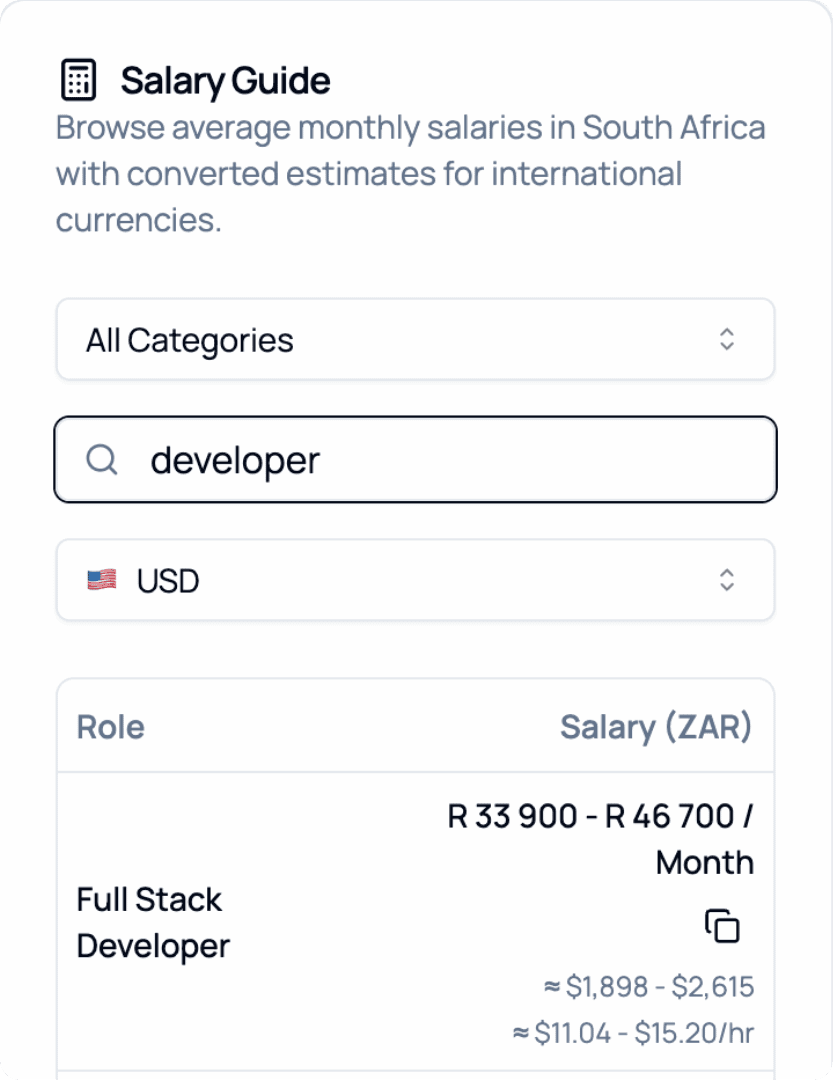
2026 Salary Guide: South Africa
Discover South African Salaries by Role. Compare costs and see how much you can save.