TL;DR
Learn what a QuickBooks virtual assistant can own, where controller review is still required, and how to scope delegation by risk.
Use practical cost and ROI formulas to compare in-house hiring, freelance bookkeeping help, and managed virtual assistant models.
Implement secure QuickBooks workflows with role-based access, approval rules, and documented month-end close SOPs.
Follow a 30-60-90 onboarding plan to improve close speed, reconciliation accuracy, and owner visibility.
Table of Contents
- Introduction
- What does a QuickBooks virtual assistant actually do for a US business?
- How much does a QuickBooks virtual assistant cost, and how should US businesses model ROI?
- Which bookkeeping and QuickBooks tasks should you delegate first?
- How do you keep QuickBooks access secure and stay compliant when working with a virtual assistant?
- How do you hire, onboard, and manage a QuickBooks virtual assistant for long-term performance?
- Final Thoughts
Introduction
If your business depends on QuickBooks, you already know the accounting software is not the bottleneck. The bottleneck is consistent execution: coding transactions correctly, keeping reconciliations current, chasing missing receipts, handling AP and AR follow-through, and closing the month without last-minute cleanup.
That is exactly where a quickbooks virtual assistant can create leverage. This model gives US businesses structured bookkeeping support without adding full-time local headcount before the workload justifies it. If you are comparing role options in your sector, start with HireSava's accounting industry support page, then use this guide to design role scope, controls, and KPI targets.
This article is built in a PAA-style format around the five questions owners and finance leaders ask most before hiring. We will cover what a QuickBooks-focused assistant actually does, what it costs in real terms, which tasks to delegate first, how to keep security and compliance strong, and how to onboard for reliable monthly performance.
You will also find concrete references to reputable sources including Intuit QuickBooks documentation, IRS recordkeeping guidance, and NIST cybersecurity frameworks so your staffing decisions stay tied to defensible operating standards rather than outsourcing hype.
If you are still evaluating broader talent models, pair this with How to Hire a Virtual Assistant for Small Business in 2026, Virtual Assistant Cost Calculator Guide for SMB Teams, Virtual Assistant Onboarding Checklist for 2026, How to Hire Remote Talent Without Recruiting Fees, and What Is an Onshore and Offshore Team?.
What does a QuickBooks virtual assistant actually do for a US business?
Snippet answer: A QuickBooks virtual assistant handles repeatable bookkeeping workflows inside defined SOPs, including transaction categorization, account reconciliations, AP/AR admin, and reporting prep, while owners or controllers retain approval over policy and final financial sign-off.
Most businesses get this wrong at first. They treat "bookkeeping help" as a generic admin role and then wonder why close quality is inconsistent. A high-performing quickbooks virtual assistant is not just entering data. They are operating a system of recurring accounting processes with clear boundaries.
At a practical level, this role usually owns four lanes:
- Daily bookkeeping hygiene
- Weekly cash and receivables cadence
- Month-end close preparation
- Documentation and exception follow-up
Daily bookkeeping hygiene
In day-to-day execution, a QuickBooks-focused assistant can manage:
- Transaction coding against your chart of accounts
- Bank feed review and rule management
- Receipt and bill attachment hygiene
- Basic vendor/customer record maintenance
- Duplicate and anomaly flagging for review
This lane protects data quality at the source. If transactions are misclassified during the week, every later report becomes less useful.
Weekly cash and receivables cadence
Most businesses feel accounting pain through cash uncertainty and overdue invoices. A virtual assistant can run weekly workflows such as:
- AR follow-up email sequences and status logs
- AP scheduling queue updates by due date and approval status
- Open invoice aging summaries
- Unapplied payment and credit memo cleanup
- Payment exception routing to decision-makers
This does not replace strategic cash planning, but it dramatically improves operational visibility.
Month-end close preparation
Month-end bottlenecks usually come from incomplete reconciliations and missing support files. A quickbooks virtual assistant can prepare close packets by:
- Reconciling bank and credit card accounts
- Preparing prepaid and accrual support schedules
- Reviewing uncategorized transaction queues
- Building variance checklists month-over-month
- Drafting management report packets for review
Controller-level judgment stays with your finance lead. But preparation workload, which consumes most time, is exactly where this role creates capacity.
Documentation and exception follow-up
Good books depend on good evidence. Assistants can maintain an audit-ready trail by:
- Collecting missing receipts or invoices
- Maintaining shared documentation folders
- Updating SOP logs when workflow changes are approved
- Tracking unresolved accounting exceptions by age/owner
- Escalating issues before close deadlines are missed
This matters for tax preparation, lender reporting, and internal accountability.
Where role boundaries should stay explicit
A QuickBooks virtual assistant should not independently set accounting policy, finalize tax positions, or make material judgment calls without supervision. Use a decision-rights matrix:
- Assistant executes recurring process steps.
- Controller/bookkeeper-of-record reviews judgment-sensitive items.
- Owner/CFO approves policy and high-impact decisions.
Intuit's own user-permission model supports this separation through role-based access controls in QuickBooks products. See Intuit documentation on managing users and roles in QuickBooks Online.
When scope is designed this way, the role improves speed and consistency without weakening governance.
How much does a QuickBooks virtual assistant cost, and how should US businesses model ROI?
Snippet answer: Most US teams should evaluate a QuickBooks virtual assistant using total operating economics, not hourly rate alone: service cost plus supervision, tooling, and rework compared against recovered owner/controller time, faster close cycles, and better cash-flow execution.
Price discussions often fail because buyers compare only rate cards. The real decision is whether output quality and operating rhythm improve enough to create measurable financial gain.
A useful framework compares three staffing models:
- Freelance part-time bookkeeping support
- Dedicated virtual assistant through a managed provider
- In-house full-time junior bookkeeping hire
Each has tradeoffs.
Model 1: Freelance support
Pros:
- Flexible start and stop
- Lower fixed commitment
- Good for cleanup or seasonal spikes
Cons:
- Variable process discipline
- Higher continuity risk
- Limited backup coverage
Model 2: Managed dedicated virtual assistant
Pros:
- Defined SOP structure and QA cadence
- Backup and replacement continuity
- Faster ramp with standard onboarding playbooks
Cons:
- Slightly higher direct rate than ad hoc freelancers
- Requires clear internal owner for approvals
Model 3: In-house junior hire
Pros:
- High timezone overlap
- Cultural integration potential
- Direct line management
Cons:
- Recruiting and payroll overhead
- Harder to justify at low-to-mid workload
- Slower replacement if role churns
Total-cost checklist (use this before choosing)
| Cost/Value Element | Include in Analysis | Why It Matters | | :--- | :--- | :--- | | Base monthly service cost | Assistant rate or salary | Visible spend only | | Supervision time | Controller/owner review hours | Hidden internal cost | | Tooling & access | QuickBooks seats, PM, communication tools | Required execution stack | | Rework burden | Time correcting coding/recon errors | Determines true efficiency | | Close cycle impact | Days to monthly close | Affects decision speed | | Cash cycle impact | AR aging and AP timing quality | Direct liquidity effect |
Simple ROI formula for owners
Use this baseline equation:
(Recovered high-value hours x effective hourly value) + cash-flow improvement value - total monthly support cost = net impact
Example:
- 28 owner/controller hours recovered per month
- $150 blended internal value per hour
- $900 monthly value from faster collections and fewer late-payment misses
- $3,400 all-in support cost
(28 x $150) + $900 - $3,400 = $1,700 net monthly impact
Even conservative assumptions can produce positive ROI if implementation quality is strong.
Metrics that make the cost decision objective
Track these for at least 60 to 90 days:
- Days to close month-end books
- Reconciliation completion rate by deadline
- Number of uncategorized transactions older than 14 days
- AR aging percentage over 30 and 60 days
- Controller rework time per week
- Financial packet delivery consistency
If these metrics improve, your model is working. If they do not, fix scope and SOPs before changing staffing models.
For budgeting context, align this process with Virtual Assistant Cost Calculator Guide for SMB Teams and the operational setup guidance in How to Hire Remote Talent Without Recruiting Fees.
Which bookkeeping and QuickBooks tasks should you delegate first?
Snippet answer: Delegate high-frequency, rules-based bookkeeping tasks first, then expand to close-support workflows once quality is stable; keep policy, tax strategy, and complex accounting judgments with your licensed or senior finance lead.
Delegation fails when businesses start with the hardest workflows. Start with repeatable processes where standards are clear and error detection is straightforward.
Phase 1: Stabilize daily transaction flow
Start here because this creates downstream quality everywhere else.
First delegation set:
- Categorize routine transactions using approved rules
- Attach receipts and source documents
- Maintain vendor naming consistency
- Clear uncategorized queues daily
- Flag unusual transactions for review
Success metrics:
- Uncategorized queue older than 7 days approaches zero
- Coding accuracy improves on random QA samples
- Fewer end-of-month corrections
Phase 2: Build AR and AP operating rhythm
Once daily hygiene stabilizes, move to payables/receivables support.
Delegation set:
- Weekly AR follow-up by due-date segments
- AP due-date queue maintenance with approvals tracked
- Payment status reconciliation and reminders
- Credit memo and unapplied payment clean-up
- Dispute/exception log maintenance
Success metrics:
- AR over-30-day ratio trends down
- Fewer missed vendor due dates
- Better weekly cash visibility
Phase 3: Expand into reconciliation and close prep
After quality is proven, add month-end preparation tasks.
Delegation set:
- Bank and credit card reconciliations
- Preliminary balance checks
- Variance investigation packets
- Schedule rollforwards for recurring accounts
- Draft reporting packages for controller review
Success metrics:
- Close timeline shortens
- Fewer post-close adjustments
- Management reporting arrives on schedule
Phase 4: Add workflow automation and SOP refinement
When baseline operations are stable, optimize process efficiency.
Delegation set:
- QuickBooks rule tuning and exception tagging
- Standardized monthly checklist management
- Documentation for recurring issues and fixes
- Workflow handoff refinement between sales/ops/finance
- Recurring dashboard preparation
Success metrics:
- Reduction in repetitive manual tasks
- Reduced exception recurrence rate
- Less owner intervention needed each week
Tasks to keep under tighter control
Even with a strong assistant, keep these with controller/CFO/CPA oversight:
- Revenue recognition policy changes
- Tax position decisions and filings
- Material accrual judgments
- Financial statement final sign-off
- Lender or investor representation on accounting treatment
This split protects governance while still capturing major efficiency gains.
IRS guidance on business recordkeeping expectations reinforces why documentation discipline and accurate source records should stay central to your workflow design.
If your team is earlier in maturity, it can help to first standardize hiring and role ownership using Why Hire a Virtual Assistant: The Ultimate Guide for 2026 and Virtual Assistant Onboarding Checklist for 2026.
How do you keep QuickBooks access secure and stay compliant when working with a virtual assistant?
Snippet answer: Secure QuickBooks delegation requires role-based permissions, least-privilege access, approval checkpoints, documented SOPs, and periodic audit reviews; compliance depends on system controls and supervision, not whether the worker is remote.
Security concerns are valid, but remote bookkeeping is not inherently risky when governance is designed correctly. In many cases, structured remote access is safer than ad hoc local practices because permissions and logs are clearer.
Build around least-privilege access
Start by mapping every workflow to minimum access required:
- Transaction entry and coding access for routine books
- No authority to alter chart-of-accounts policy without approval
- Restricted access to payroll or sensitive compensation data unless required
- Segmented permissions for bill pay approvals
- Limited admin rights with change logging enabled
QuickBooks role settings and activity tracking should align to this model.
Separate execution from approval authority
A simple dual-control framework reduces financial and fraud risk:
- Assistant prepares bills and payment batches.
- Designated approver authorizes release.
- Assistant records payment status and documentation.
Apply similar separation to journal entries and adjustment requests.
Formalize your SOP and review cadence
Documentation reduces both errors and management overhead.
Core artifacts to maintain:
- Monthly close checklist with owners and due dates
- Reconciliation SOPs by account type
- Exception escalation matrix
- AR/AP communication templates
- Quality review checklist for controller sign-off
Schedule recurring reviews:
- Weekly tactical QA (errors, backlog, exceptions)
- Monthly control review (permissions, access logs, unresolved anomalies)
- Quarterly process redesign based on bottlenecks
Align controls with known frameworks
For practical governance language, many teams use the NIST Cybersecurity Framework as a reference structure for identify, protect, detect, respond, and recover controls.
For small-business operating context, the SBA's finance guidance on managing your business finances is a useful operational baseline. For accounting standards and professional oversight references, AICPA resources can support policy decisions alongside your CPA.
Common control mistakes to avoid
Most incidents come from a few predictable failures:
- Shared logins instead of individual user accounts
- Overly broad admin permissions
- No approval split for payment workflows
- Missing documentation for unusual transactions
- Infrequent review of open exceptions
If you fix those five issues, risk drops materially.
Compliance perspective for US businesses
Even if you are not in a heavily regulated niche, you still need defensible bookkeeping controls for taxes, audits, lenders, and leadership decisions. Compliance here is not only about external regulations. It is about reliable, reviewable financial operations.
When remote support is implemented with role boundaries, audit trails, and supervision discipline, the risk profile is manageable and often superior to chaotic in-office processes.
How do you hire, onboard, and manage a QuickBooks virtual assistant for long-term performance?
Snippet answer: Long-term performance comes from structured hiring criteria, a 30-60-90 onboarding plan, explicit KPI ownership, and routine quality calibration between the assistant and your controller or finance lead.
A strong QuickBooks virtual assistant program is built, not discovered. The difference between "great support" and "constant rework" is usually in setup quality during the first 90 days.
Step 1: Define role scorecard before recruiting
Your scorecard should include:
- Top recurring workflows owned by the role
- Required QuickBooks proficiency level
- Monthly close responsibilities
- Expected communication cadence
- KPI targets and review frequency
Without this, interviews become subjective and onboarding gets noisy.
Step 2: Screen for bookkeeping execution quality
Use practical tests, not generic interview questions.
Recommended assessment components:
- Transaction-coding exercise with edge cases
- Reconciliation mini-case with a discrepancy to resolve
- AR follow-up message writing sample
- Exception escalation judgment scenario
- SOP comprehension and process documentation exercise
This reveals real operating capability quickly.
Step 3: Run a 30-60-90 onboarding sequence
Days 1-30: Foundation and controlled execution
- Tool access setup with role-based permissions
- SOP training for daily and weekly workflows
- Shadowed execution with high-frequency QA feedback
- Baseline KPI measurement without aggressive targets
Days 31-60: Expanded ownership and consistency
- Full ownership of daily transaction and documentation lanes
- AR/AP cadence ownership with reporting standards
- Weekly quality calibration with controller/owner
- Error trend tracking by root cause
Days 61-90: Close support and optimization
- Month-end prep ownership under review controls
- Variance packet and schedule preparation
- Exception trend reduction plan
- Process improvement proposals for repeated bottlenecks
Step 4: Use a management cadence that scales
A lightweight but consistent cadence works best:
- Daily async update with blockers and priorities
- Weekly operating review with KPI dashboard
- Monthly close retro (what slipped, why, what changes)
- Quarterly role scope review tied to business growth
This prevents both micromanagement and drift.
Step 5: Manage with KPIs that reflect outcomes
Core scorecard metrics:
- Close cycle days
- Reconciliation completion on schedule
- AR aging trend improvement
- Exception backlog by age
- Controller rework hours
- Documentation completeness
Avoid vanity metrics like "hours online." Measure output quality and business impact.
Step 6: Build continuity and backup coverage
Single-point dependency creates hidden risk. Ensure:
- Backup owner for critical close tasks
- Centralized SOP library
- Cross-training for high-risk workflows
- Clear handoff rules for PTO or role transitions
This is one reason many teams choose managed support over individual freelancing.
If you want a broader framework for staffing decision criteria and operating model fit, revisit How to Hire Remote Talent Without Recruiting Fees and What Is an Onshore and Offshore Team?.
Final Thoughts
A quickbooks virtual assistant is most valuable when the role is treated as a finance operations system, not a generic admin add-on. Businesses that win with this model define clear boundaries, delegate in phases, protect controls, and measure outcomes that matter: close speed, reconciliation quality, and cash visibility.
If your books feel perpetually one month behind, do not start by hiring faster. Start by writing a role scorecard, setting approval boundaries, and documenting your month-end checklist. Then add support against that system.
For teams ready to implement inside an accounting-focused operating model, use HireSava's accounting industry page to align role design, workflow scope, and hiring structure with your business stage.
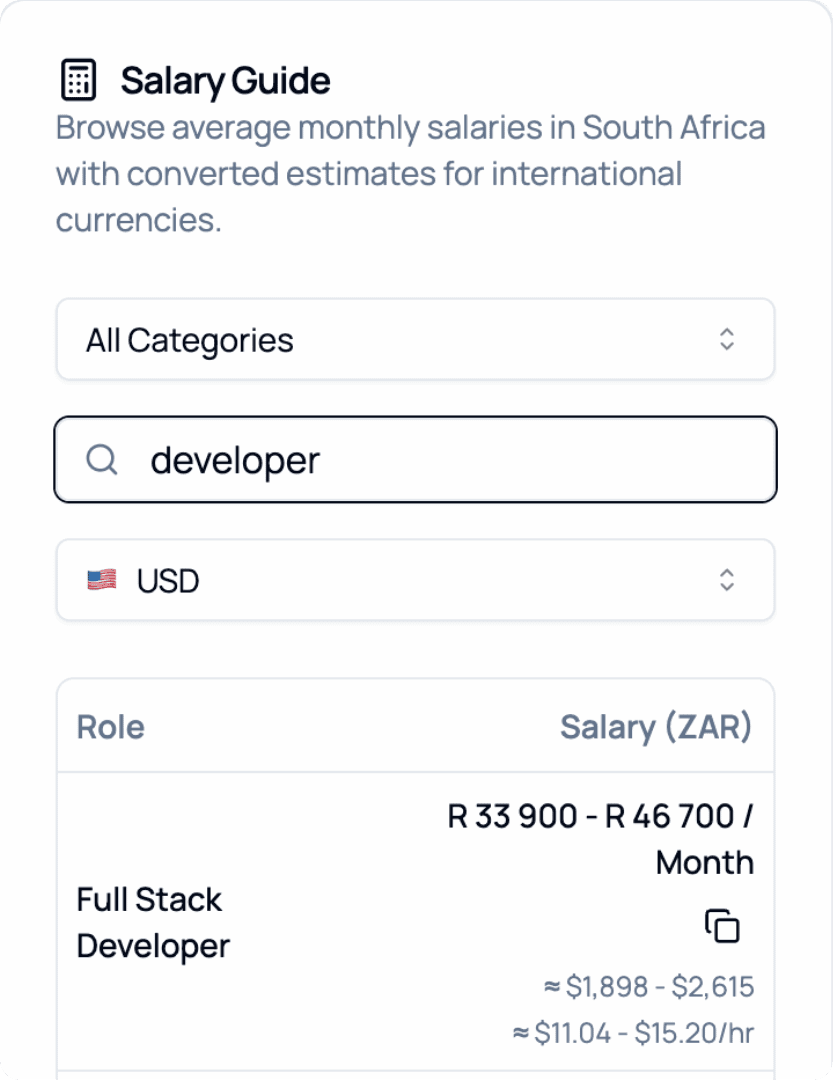
2026 Salary Guide: South Africa
Discover South African Salaries by Role. Compare costs and see how much you can save.