TL;DR
Set up repeatable operations for course launches, learner support, and cohort communication.
Delegate publishing, support triage, and progress follow-up with clear QA gates.
Track operational KPI that improve completion, retention, and learner experience.
Table of Contents
- Introduction
- What does an education-focused virtual assistant do?
- Which tasks should you delegate first in education operations?
- How much does it cost and what ROI should an education team expect?
- How do you keep quality and compliance while delegating?
- How do you scale from one VA to a durable education operations system?
- Final Thoughts
- Cohort Operations Control: Launch Readiness, Learner Support, and Completion Retention
Introduction
Education businesses do not usually fail from lack of demand; they fail from inconsistent operations during growth. Inquiries pile up, follow-up is late, application status is unclear, and staff time gets consumed by repetitive admin work. A clear operations support role fixes this.
This guide shows how to use virtual assistant support to improve admissions flow, communication reliability, scheduling execution, and CRM discipline while protecting quality and compliance expectations.
Internal implementation references:
- Education industry page
- How to Hire a Virtual Assistant for Small Business in 2026
- Virtual Assistant Onboarding Checklist for 2026
- Virtual Assistant Cost Calculator Guide for SMB Teams
- How to Hire Remote Talent Without Recruiting Fees
- What Is an Onshore and Offshore Team?
What does an education-focused virtual assistant do?
Snippet answer: An education-focused VA owns repeatable operations such as inquiry triage, admissions coordination, scheduling, parent/student communications, records support, and CRM hygiene so academic teams can focus on delivery and outcomes.
Education businesses grow when operations are documented, measured, and consistently executed. A virtual assistant helps stabilize execution around enrollment, communication, scheduling, and records workflows. The key is role clarity: delegate process work, keep judgment calls with internal leaders, and enforce QA checkpoints before stage transitions.
Practical implementation details
Education operators should define service-level targets for every core workflow. For example, inquiry response within two business hours, application-status updates every 48 hours, and reminder flows triggered automatically 72/48/24 hours before key milestones. These standards create operational predictability and reduce avoidable drop-off.
Create a single source of truth for pipeline and communication status. Whether you use HubSpot, Pipedrive, Airtable, or another CRM, every student inquiry should have one owner, one current stage, next action date, and risk flag. When ownership is ambiguous, follow-up delays become normal and conversion quality drops.
Use a weekly review that includes: stage aging, stuck applications, no-response cohorts, parent/student support backlog, and SLA misses by category. This makes operational issues visible before they become revenue or experience problems.
For security and privacy, apply least-privilege access controls and role-specific permissions for tools and student data. Use checklists for handoffs, documentation quality, and communication approvals. External references worth aligning with include NIST small business cybersecurity guidance, FTC data security guidance, and SBA operations resources.
KPI scorecard example for education teams
Track weekly and monthly:
- inquiry response median time
- inquiry-to-application conversion
- application-to-enrollment conversion
- no-response and stall-rate by stage
- scheduling completion rate
- parent/student ticket resolution time
- admin backlog and overdue count
- operator hours recovered from repetitive admin
Use these metrics for decisions, not vanity reporting. If conversion falls while response time remains strong, the issue may be messaging quality or stage criteria. If backlog grows while conversion is stable, capacity design likely needs lane specialization.
Which tasks should you delegate first in education operations?
Snippet answer: Start with repetitive and delay-sensitive tasks: inbox triage, inquiry response, calendar coordination, application-status updates, reminder workflows, and documentation prep with clear QA checkpoints.
Education businesses grow when operations are documented, measured, and consistently executed. A virtual assistant helps stabilize execution around enrollment, communication, scheduling, and records workflows. The key is role clarity: delegate process work, keep judgment calls with internal leaders, and enforce QA checkpoints before stage transitions.
Practical implementation details
Education operators should define service-level targets for every core workflow. For example, inquiry response within two business hours, application-status updates every 48 hours, and reminder flows triggered automatically 72/48/24 hours before key milestones. These standards create operational predictability and reduce avoidable drop-off.
Create a single source of truth for pipeline and communication status. Whether you use HubSpot, Pipedrive, Airtable, or another CRM, every student inquiry should have one owner, one current stage, next action date, and risk flag. When ownership is ambiguous, follow-up delays become normal and conversion quality drops.
Use a weekly review that includes: stage aging, stuck applications, no-response cohorts, parent/student support backlog, and SLA misses by category. This makes operational issues visible before they become revenue or experience problems.
For security and privacy, apply least-privilege access controls and role-specific permissions for tools and student data. Use checklists for handoffs, documentation quality, and communication approvals. External references worth aligning with include NIST small business cybersecurity guidance, FTC data security guidance, and SBA operations resources.
KPI scorecard example for education teams
Track weekly and monthly:
- inquiry response median time
- inquiry-to-application conversion
- application-to-enrollment conversion
- no-response and stall-rate by stage
- scheduling completion rate
- parent/student ticket resolution time
- admin backlog and overdue count
- operator hours recovered from repetitive admin
Use these metrics for decisions, not vanity reporting. If conversion falls while response time remains strong, the issue may be messaging quality or stage criteria. If backlog grows while conversion is stable, capacity design likely needs lane specialization.
How much does it cost and what ROI should an education team expect?
Snippet answer: ROI comes from faster inquiry response, improved conversion from application to enrollment, lower admin overload, and more consistent student/parent experience—not just hourly labor savings.
Education businesses grow when operations are documented, measured, and consistently executed. A virtual assistant helps stabilize execution around enrollment, communication, scheduling, and records workflows. The key is role clarity: delegate process work, keep judgment calls with internal leaders, and enforce QA checkpoints before stage transitions.
Practical implementation details
Education operators should define service-level targets for every core workflow. For example, inquiry response within two business hours, application-status updates every 48 hours, and reminder flows triggered automatically 72/48/24 hours before key milestones. These standards create operational predictability and reduce avoidable drop-off.
Create a single source of truth for pipeline and communication status. Whether you use HubSpot, Pipedrive, Airtable, or another CRM, every student inquiry should have one owner, one current stage, next action date, and risk flag. When ownership is ambiguous, follow-up delays become normal and conversion quality drops.
Use a weekly review that includes: stage aging, stuck applications, no-response cohorts, parent/student support backlog, and SLA misses by category. This makes operational issues visible before they become revenue or experience problems.
For security and privacy, apply least-privilege access controls and role-specific permissions for tools and student data. Use checklists for handoffs, documentation quality, and communication approvals. External references worth aligning with include NIST small business cybersecurity guidance, FTC data security guidance, and SBA operations resources.
KPI scorecard example for education teams
Track weekly and monthly:
- inquiry response median time
- inquiry-to-application conversion
- application-to-enrollment conversion
- no-response and stall-rate by stage
- scheduling completion rate
- parent/student ticket resolution time
- admin backlog and overdue count
- operator hours recovered from repetitive admin
Use these metrics for decisions, not vanity reporting. If conversion falls while response time remains strong, the issue may be messaging quality or stage criteria. If backlog grows while conversion is stable, capacity design likely needs lane specialization.
How do you keep quality and compliance while delegating?
Snippet answer: Protect quality by using SOPs, approval gates, communication templates, and escalation rules. Keep authority decisions in-house while delegating process execution.
Education businesses grow when operations are documented, measured, and consistently executed. A virtual assistant helps stabilize execution around enrollment, communication, scheduling, and records workflows. The key is role clarity: delegate process work, keep judgment calls with internal leaders, and enforce QA checkpoints before stage transitions.
Practical implementation details
Education operators should define service-level targets for every core workflow. For example, inquiry response within two business hours, application-status updates every 48 hours, and reminder flows triggered automatically 72/48/24 hours before key milestones. These standards create operational predictability and reduce avoidable drop-off.
Create a single source of truth for pipeline and communication status. Whether you use HubSpot, Pipedrive, Airtable, or another CRM, every student inquiry should have one owner, one current stage, next action date, and risk flag. When ownership is ambiguous, follow-up delays become normal and conversion quality drops.
Use a weekly review that includes: stage aging, stuck applications, no-response cohorts, parent/student support backlog, and SLA misses by category. This makes operational issues visible before they become revenue or experience problems.
For security and privacy, apply least-privilege access controls and role-specific permissions for tools and student data. Use checklists for handoffs, documentation quality, and communication approvals. External references worth aligning with include NIST small business cybersecurity guidance, FTC data security guidance, and SBA operations resources.
KPI scorecard example for education teams
Track weekly and monthly:
- inquiry response median time
- inquiry-to-application conversion
- application-to-enrollment conversion
- no-response and stall-rate by stage
- scheduling completion rate
- parent/student ticket resolution time
- admin backlog and overdue count
- operator hours recovered from repetitive admin
Use these metrics for decisions, not vanity reporting. If conversion falls while response time remains strong, the issue may be messaging quality or stage criteria. If backlog grows while conversion is stable, capacity design likely needs lane specialization.
How do you scale from one VA to a durable education operations system?
Snippet answer: Scale by splitting lanes (enrollment, scheduling, communications, records), assigning backups, and running KPI-led weekly governance reviews to prevent process drift.
Education businesses grow when operations are documented, measured, and consistently executed. A virtual assistant helps stabilize execution around enrollment, communication, scheduling, and records workflows. The key is role clarity: delegate process work, keep judgment calls with internal leaders, and enforce QA checkpoints before stage transitions.
Practical implementation details
Education operators should define service-level targets for every core workflow. For example, inquiry response within two business hours, application-status updates every 48 hours, and reminder flows triggered automatically 72/48/24 hours before key milestones. These standards create operational predictability and reduce avoidable drop-off.
Create a single source of truth for pipeline and communication status. Whether you use HubSpot, Pipedrive, Airtable, or another CRM, every student inquiry should have one owner, one current stage, next action date, and risk flag. When ownership is ambiguous, follow-up delays become normal and conversion quality drops.
Use a weekly review that includes: stage aging, stuck applications, no-response cohorts, parent/student support backlog, and SLA misses by category. This makes operational issues visible before they become revenue or experience problems.
For security and privacy, apply least-privilege access controls and role-specific permissions for tools and student data. Use checklists for handoffs, documentation quality, and communication approvals. External references worth aligning with include NIST small business cybersecurity guidance, FTC data security guidance, and SBA operations resources.
KPI scorecard example for education teams
Track weekly and monthly:
- inquiry response median time
- inquiry-to-application conversion
- application-to-enrollment conversion
- no-response and stall-rate by stage
- scheduling completion rate
- parent/student ticket resolution time
- admin backlog and overdue count
- operator hours recovered from repetitive admin
Use these metrics for decisions, not vanity reporting. If conversion falls while response time remains strong, the issue may be messaging quality or stage criteria. If backlog grows while conversion is stable, capacity design likely needs lane specialization.
Final Thoughts
If you want better enrollment reliability and smoother student/parent experience, treat delegation as a systems design project, not a task dump. Build clear SOPs, define service levels, track operational KPI, and review exceptions weekly. Then scale lanes only after baseline quality is stable.
For implementation context, align this with the Education industry page and continue building with documented workflows, ownership clarity, and measurable outcomes.
Cohort Operations Control: Launch Readiness, Learner Support, and Completion Retention
Online course operations fail when launch tasks are fragmented and learner support is reactive. A VA-run cohort operations lane solves this by coordinating publishing checklists, learner communications, and progress follow-up in one system.
Pre-launch readiness matrix
Before opening enrollment or releasing a cohort, validate:
- lesson assets uploaded and QA-checked
- links, downloads, and templates tested
- onboarding email sequence scheduled
- support escalation contacts documented
- live session schedule and reminders configured
A single launch checklist with owner initials prevents last-minute surprises.
Learner support triage model
Segment inbound support into queues:
- Access issues (login, broken links, platform permissions)
- Learning flow issues (where to start, module sequence, deadlines)
- Administrative requests (billing, receipts, enrollment changes)
- Escalation-required issues (content disputes, policy concerns)
Each queue should have SLA, template responses, and escalation path.
Completion and retention workflow
To improve completion rates, build proactive prompts:
- inactivity trigger after 5–7 days with no module progress
- milestone check-ins at key module transitions
- deadline reminder sequence for assignments/live sessions
- re-engagement script for learners who stall twice
Completion improves when support cadence is planned, not improvised.
Cohort communication calendar
Use a fixed calendar for every cohort:
- welcome + orientation sequence
- weekly progress nudges
- office-hours reminders
- deadline countdown updates
- completion and next-step sequence
A VA can run the calendar while instructors focus on pedagogy and content quality.
Course operations KPI stack
Track per cohort:
- onboarding completion rate
- first-week engagement rate
- module progression rate
- support response median time
- assignment submission timeliness
- completion rate and refund risk signals
If first-week engagement is weak, onboarding clarity and early communication are usually the first fixes.
Platform governance and QA loops
Run recurring checks:
- broken-link scan before each cohort week
- content update log with timestamps
- template version control for communications
- support-tag audit for recurring pain points
This prevents small technical issues from becoming brand-damaging learner experiences.
14-day cohort operations sprint
Days 1–3
- finalize launch checklist and owner map
- configure support queues and SLA
- publish communication calendar templates
Days 4–7
- test onboarding flow end-to-end
- run pilot support triage drills
- activate inactivity and milestone triggers
Days 8–10
- review support tags and friction points
- patch high-frequency learner confusion topics
Days 11–14
- run first cohort KPI review
- assign retention and completion optimizations
- finalize next-cohort operations backlog
A durable cohort ops system creates consistency learners can feel: cleaner launches, faster support, and stronger completion outcomes.
When operations are stable, educators gain leverage. They spend more time improving curriculum quality and less time chasing avoidable administrative breakdowns.
To sustain this over multiple cohorts, publish a monthly operations memo that includes friction trends, fix velocity, and unresolved risks by owner. This keeps platform, support, and instruction aligned around the same priorities. Over time, learners notice the difference: fewer dead-ends, clearer communication, and a smoother path from enrollment to completion without constant manual intervention at every stage each week consistently.
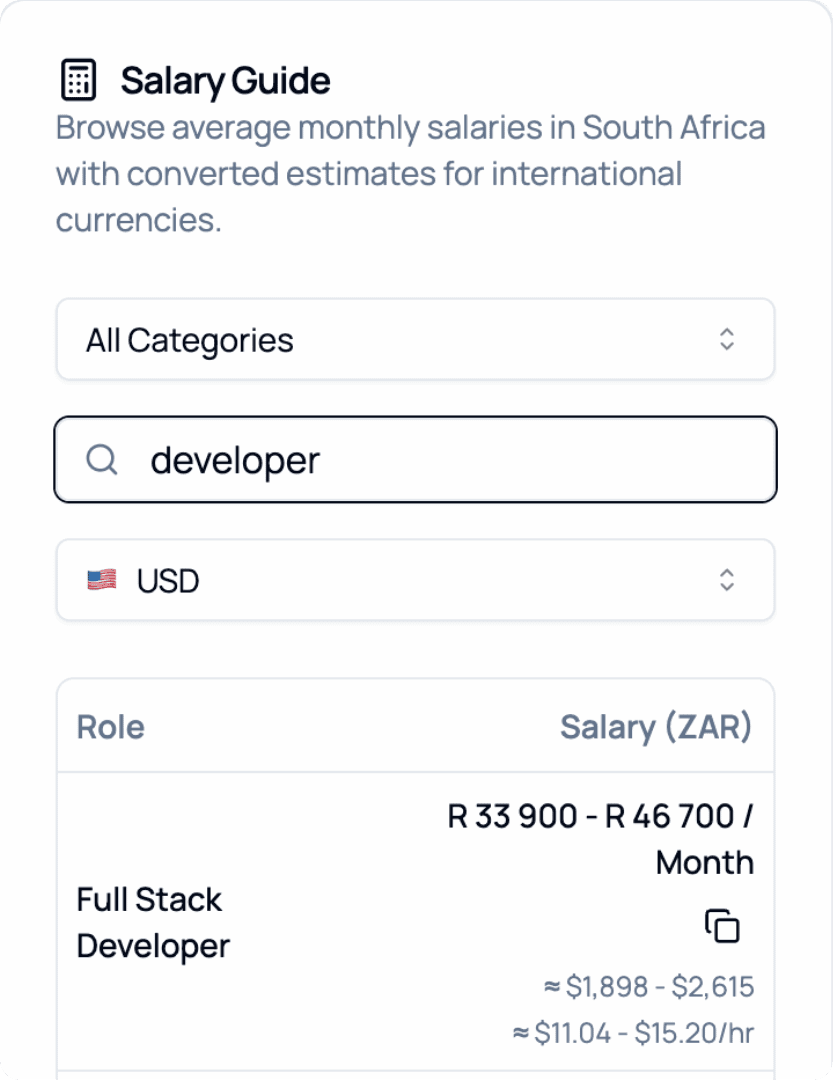
2026 Salary Guide: South Africa
Discover South African Salaries by Role. Compare costs and see how much you can save.